How to pause, continue, or delete a campaign
In Sendigram, you stay in control of your campaigns even after scheduling or launching. Depending on the campaign's status, you can pause, resume (continue), or delete it. This flexibility ensures you can adjust to last-minute changes or prevent mistakes.
1. Pausing a Campaign
- When you can pause:
- Campaign is in Active (sending in progress).
- Campaign is in Scheduled (waiting to be sent).
- How to pause:
- Go to Campaigns → Your campaigns or Calendar view.
- Find the campaign.
- Click ⋯ (More options) → Pause Campaign.
- Confirm the action.
What happens after pausing:
- Sending stops immediately.
- Any unsent emails are held in queue.
- Already delivered emails remain unaffected.
2. Continuing (Resuming) a Paused Campaign
- When available:
- Campaign is paused while Scheduled or Active.
- How to continue:
- Go to the paused campaign in Campaigns.
- Click Continue Campaign.
- Sending resumes from where it left off.
Note: Resuming may cause delays if your audience is very large, as emails are resent in batches.
3. Deleting a Campaign
- When you can delete:
- Drafts and Scheduled campaigns.
- Completed campaigns can be archived instead of deleted.
- How to delete:
- Open Your campaigns.
- Find the campaign you no longer need.
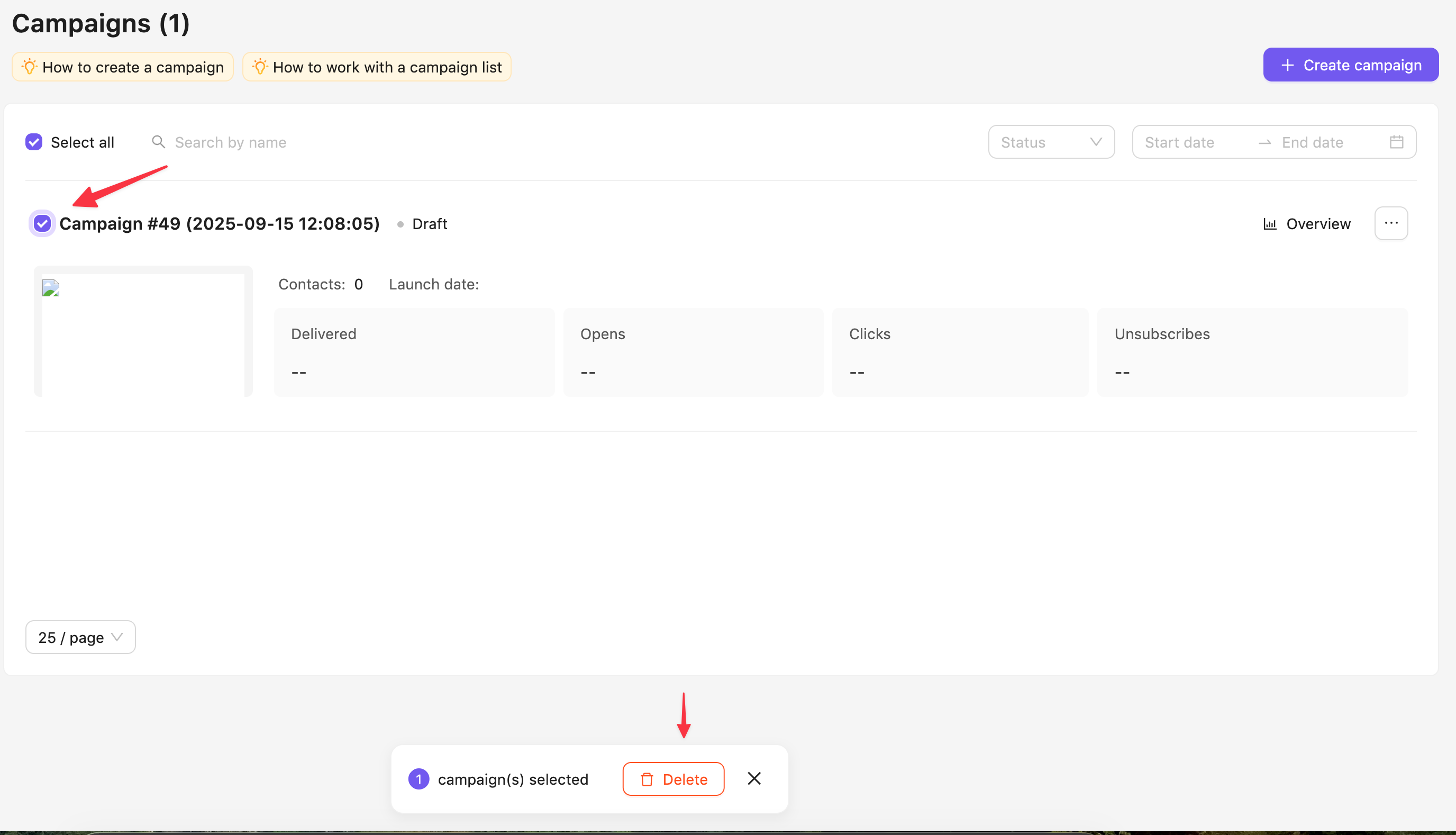
- Click the checkbox next to the name of the campaign.
- Click Delete at the bottom of the screen.
What happens after deletion:
- Drafts: Removed permanently from your account.
- Scheduled campaigns: Will not be sent.
- Completed campaigns: Deletion is disabled; use Archive for record-keeping.
Still have questions?