Tracking your onboarding progress: a step-by-step guide
The onboarding process in Sendigram is designed to help you set up your account, add contacts, and launch your first campaign. To make sure you don’t miss anything, Sendigram provides a built-in tracker that shows your progress through each stage.
1. Where to Find the Onboarding Tracker
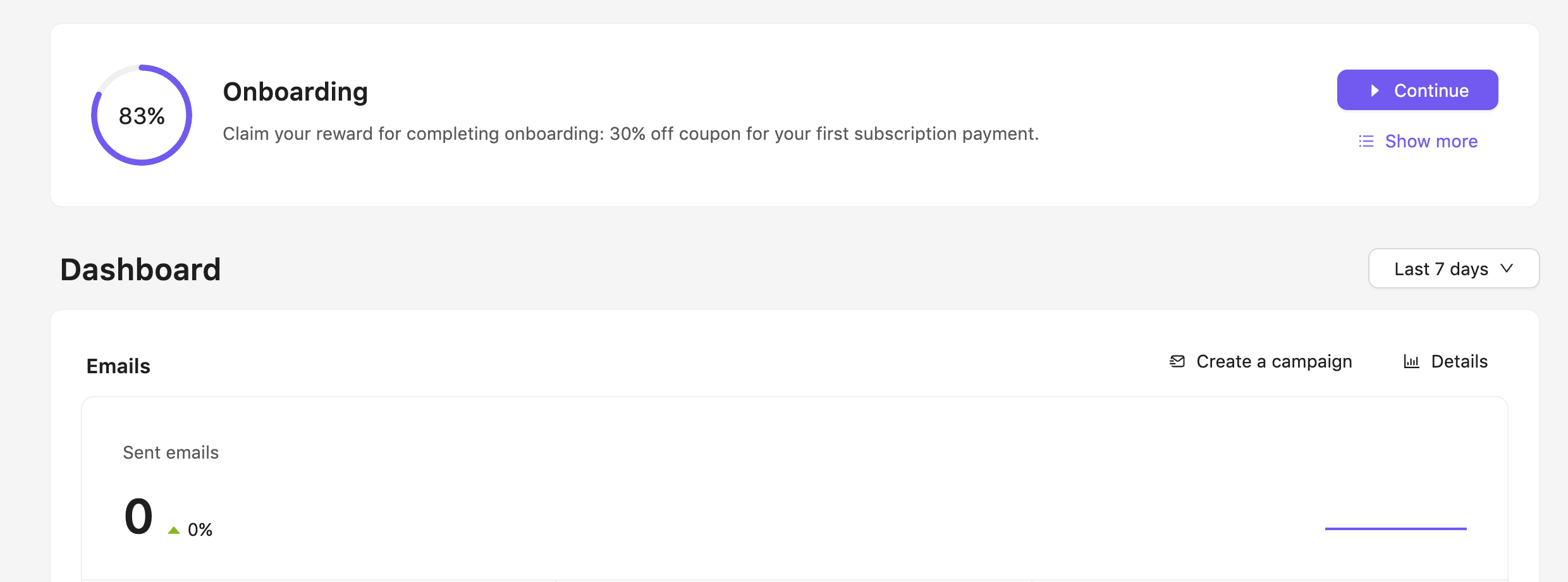
- The Onboarding panel appears on your Dashboard until you complete all steps.
- You can also reopen it anytime from Help → Onboarding Progress.
- The tracker displays a checklist with each onboarding task.
2. Steps Included in Onboarding
The tracker breaks down onboarding into clear milestones:
- Verify your account – confirm your email and complete your profile.
- Set sender details – define your “From” name and sending email.
- Add contacts – import or manually add subscribers to your first list.
- Create a list – organize contacts into at least one group.
- Design a template – choose, customize, or upload your first email design.
- Send your first campaign – launch a test or real mailing to complete onboarding.
How Progress Is Displayed
- Each completed step is marked with a checkmark.
- Incomplete steps remain highlighted until you finish them.
- A progress bar shows the overall onboarding completion in percentage.
4. Resuming Incomplete Steps
- Click on any unfinished step in the checklist to go directly to that section.
- Example: If you skipped importing contacts, clicking the step will take you to the Import Contacts page.
5. Completing Onboarding
- Once all steps are checked off, the progress bar will reach 100%.
- The onboarding panel will disappear from your Dashboard.
- You’ll now see campaign metrics, contact stats, and advanced features unlocked for use.
Still have questions?