Understanding contact limits and subscription packages
Your ability to send campaigns in Sendigram depends on two key factors:
- The subscription package you are on.
- The contact limit included in that package.
Knowing how these work together helps you choose the right plan and avoid interruptions.
1. What Are Contact Limits?
- A contact limit is the maximum number of unique subscribers you can store in your account.
- Each email address counts as one contact, regardless of how many lists it belongs to.
Example: If one subscriber is in three lists, they only count once toward your limit.
2. Subscription Packages Overview
Sendigram offers different subscription packages to suit your needs:
- Free plan:
- Limited contact storage (e.g., up to 500).
- Limited monthly sends (e.g., 1,000 emails).
- Basic features only.
- Paid plans (Starter, Pro, Business):
- Higher or unlimited contact limits.
- More monthly email sends.
- Access to automation, segmentation, A/B testing, and advanced analytics.
- Priority support on higher tiers.
- Email packages (add-ons):
- One-time purchase of extra email sends.
- Useful if you exceed your monthly limit.
3. What Happens If You Reach Your Contact Limit?
- You will not be able to add new contacts until you upgrade or clean your lists.
- Import attempts above the limit will fail.
- Campaigns can still be sent to existing contacts.
4. How to Manage Contact Limits
- Delete inactive or unsubscribed contacts regularly.
- Merge duplicate contacts across lists.
- Use segments instead of multiple lists for better organization.
- Upgrade your plan if your audience is consistently growing.
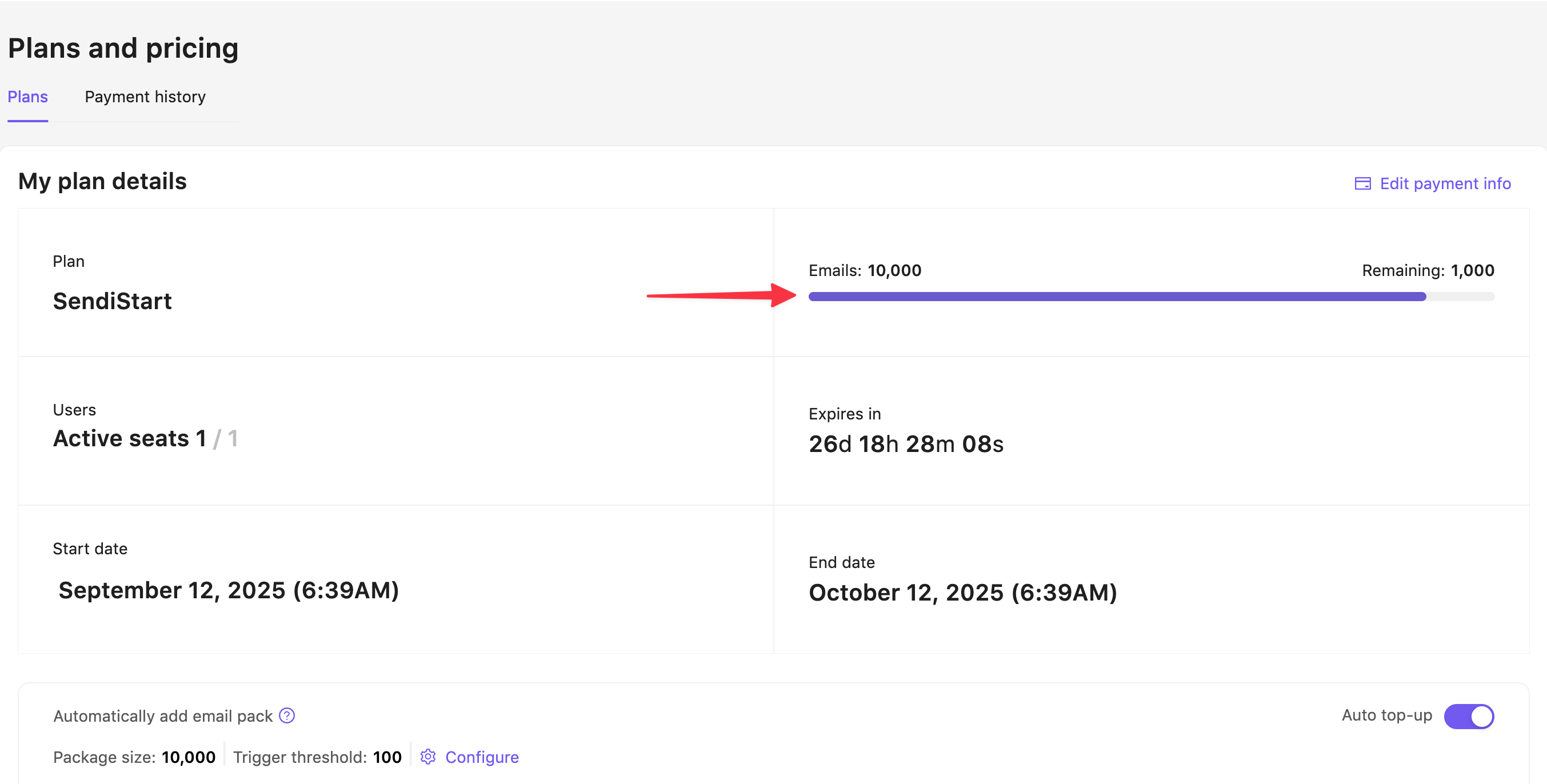
5. Checking Your Usage
- Go to Plans and pricing.
- Review your remaining quota.
- See when you are approaching your limit.
Still have questions?